
Introducing GiveCalc
Calculate the true cost of charitable giving.
Contents
What GiveCalc does
The marginal giving discount
Finding your target donation
Technical Implementation
Next steps
Try it yourself
This Giving Tuesday, we’re launching GiveCalc, a free tool that calculates how charitable giving affects your US taxes and net income1 When you make a tax-deductible donation, you reduce your tax liability — but quantifying that reduction requires modeling complex interactions across federal and state tax systems.
What GiveCalc does#
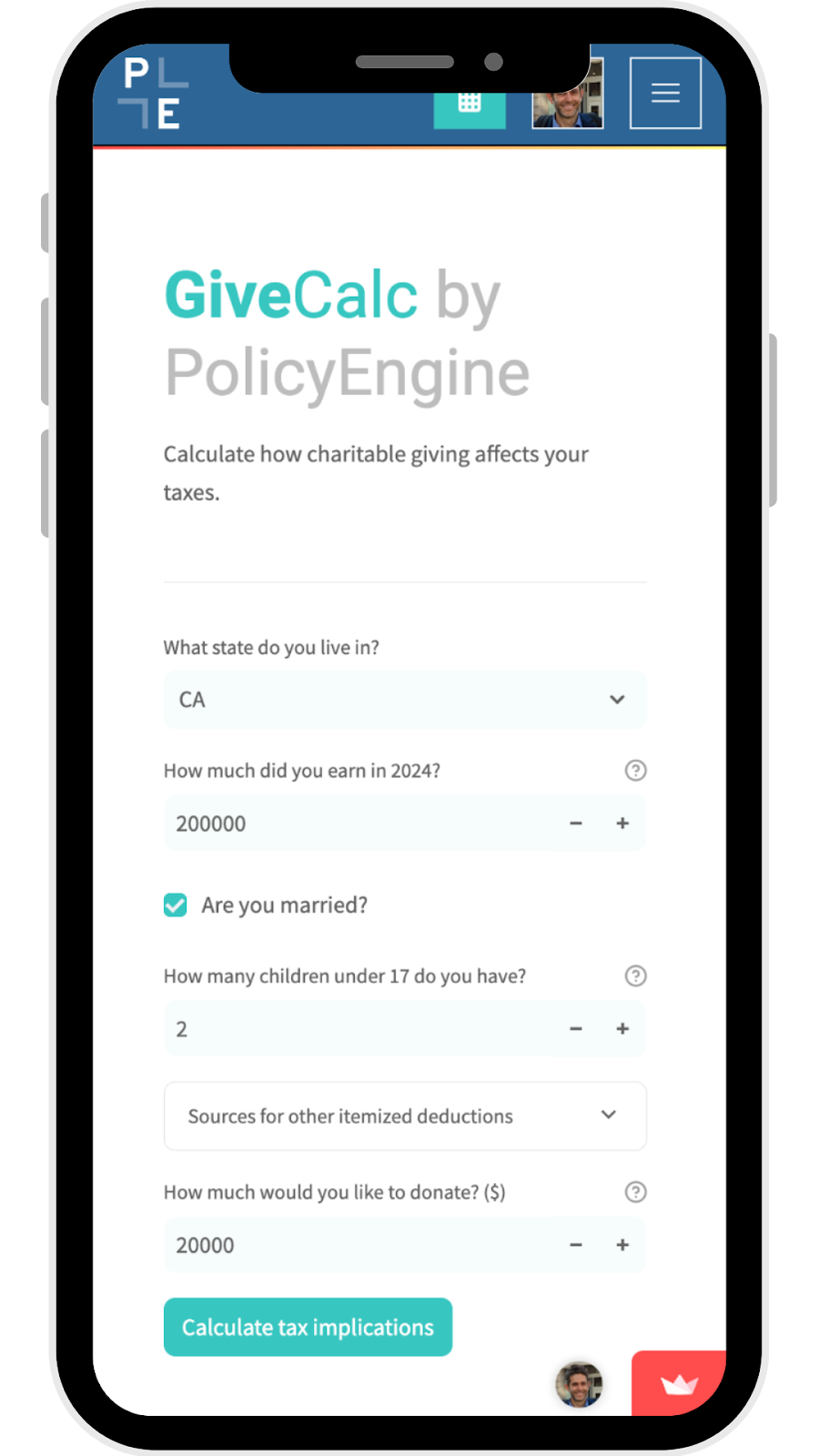
GiveCalc starts by collecting your household information. Take a California family earning $200,000, with two children and $15,000 in mortgage interest and property taxes. Without donations, they take home $153,895 after paying $46,105 in federal and state taxes.
The tool then computes three key metrics about charitable giving:
A $20,000 donation reduces their taxes by $3,136, costing them $16,864 in net income. The tax savings come from itemizing deductions on both their federal and California returns — without the mortgage interest and property tax deductions, they would save less since they’d take the standard deduction.
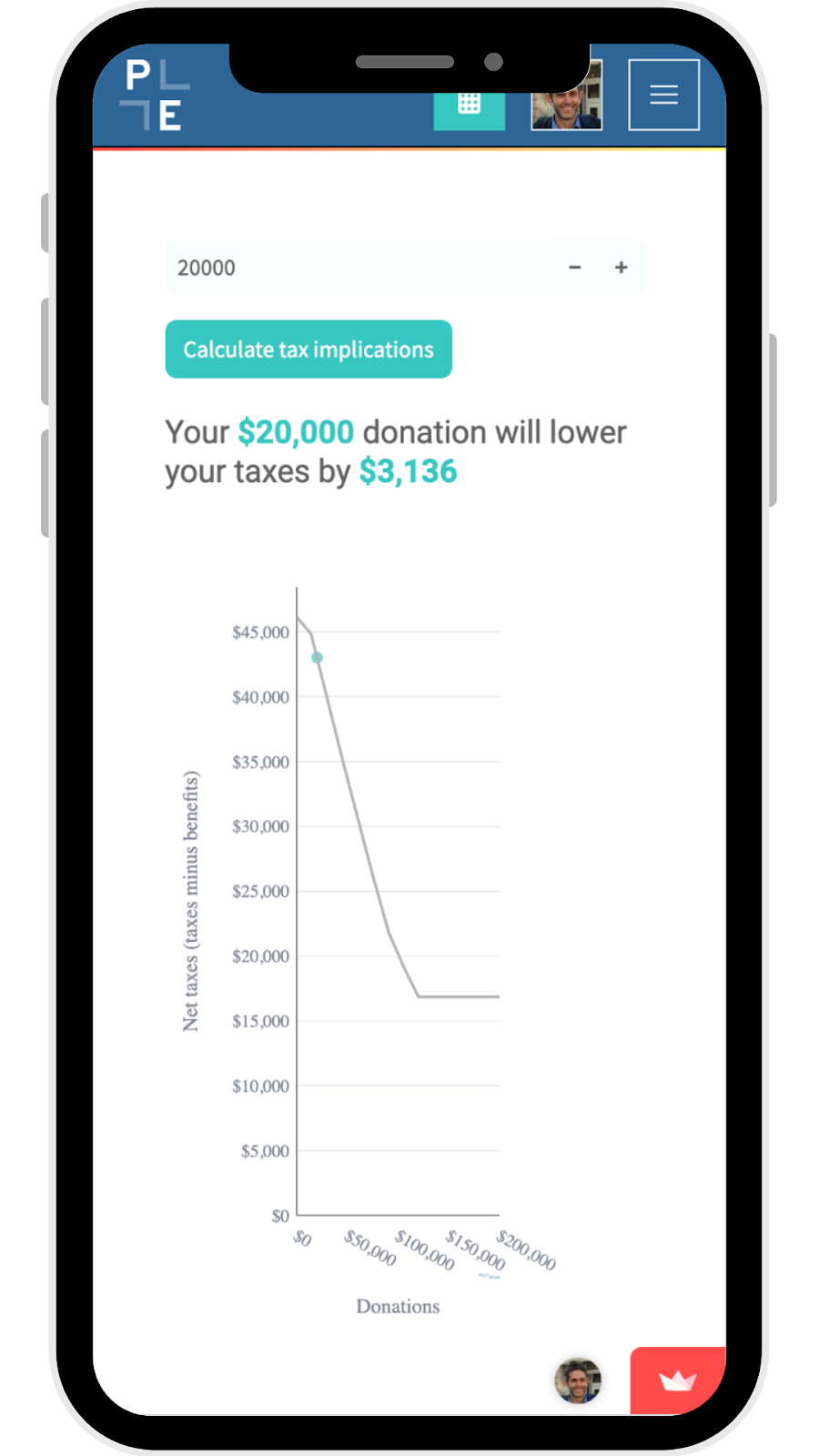
This net cost calculation reflects interactions between:
-
Federal and state itemized deductions
-
State-specific charitable credits and deductions
-
Marginal tax rates that vary with income
-
Phase-outs and other provisions that depend on adjusted gross income
The marginal giving discount#
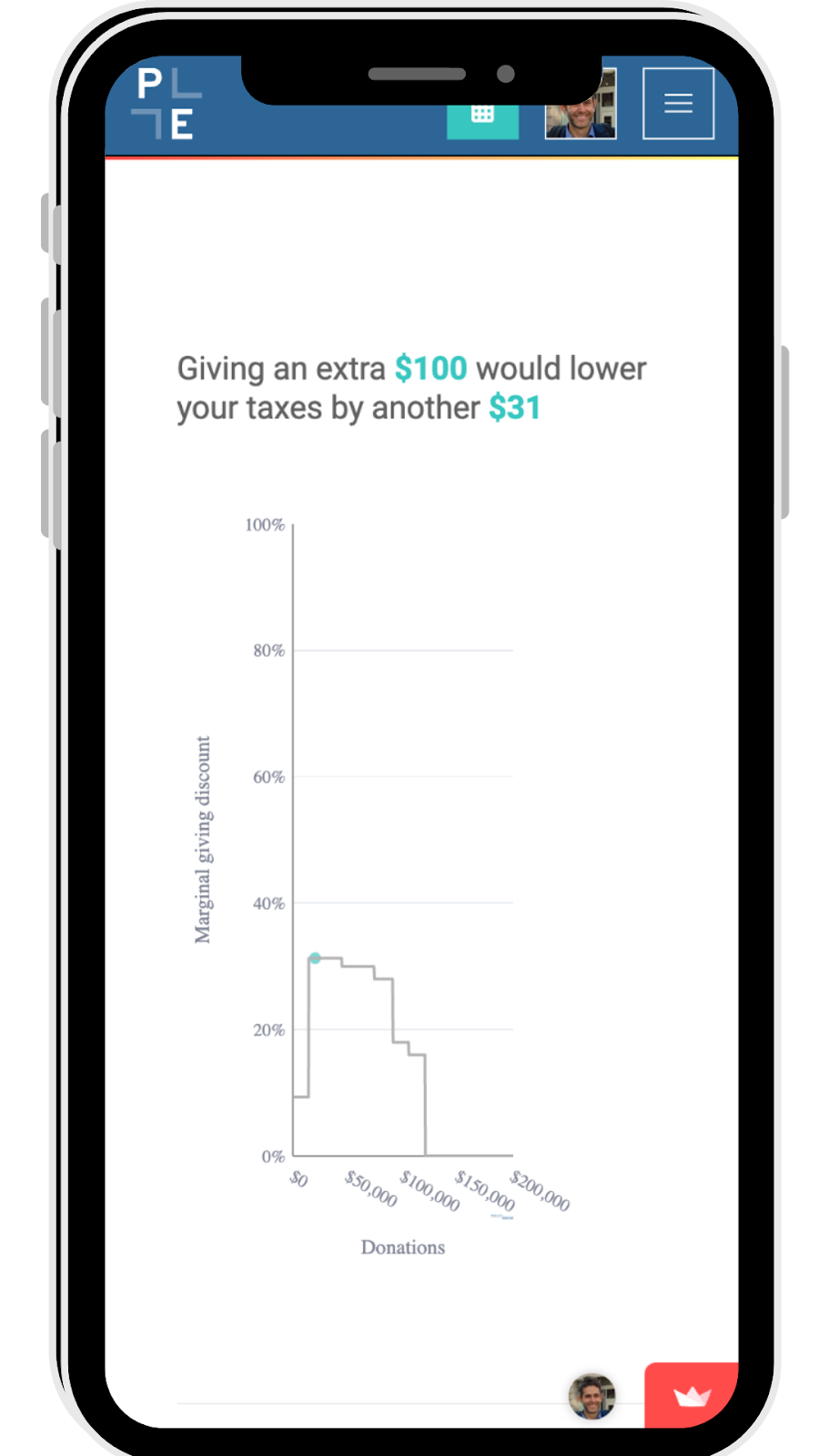
GiveCalc introduces the “marginal giving discount” — the tax reduction from your next dollar of giving. Our example family saves 31 cents in taxes on their next donated dollar, reflecting their federal and California marginal tax rates.
This rate changes as donations affect tax bracket thresholds and deduction eligibility. GiveCalc visualizes these nonlinearities to help donors optimize their giving.
Finding your target donation#
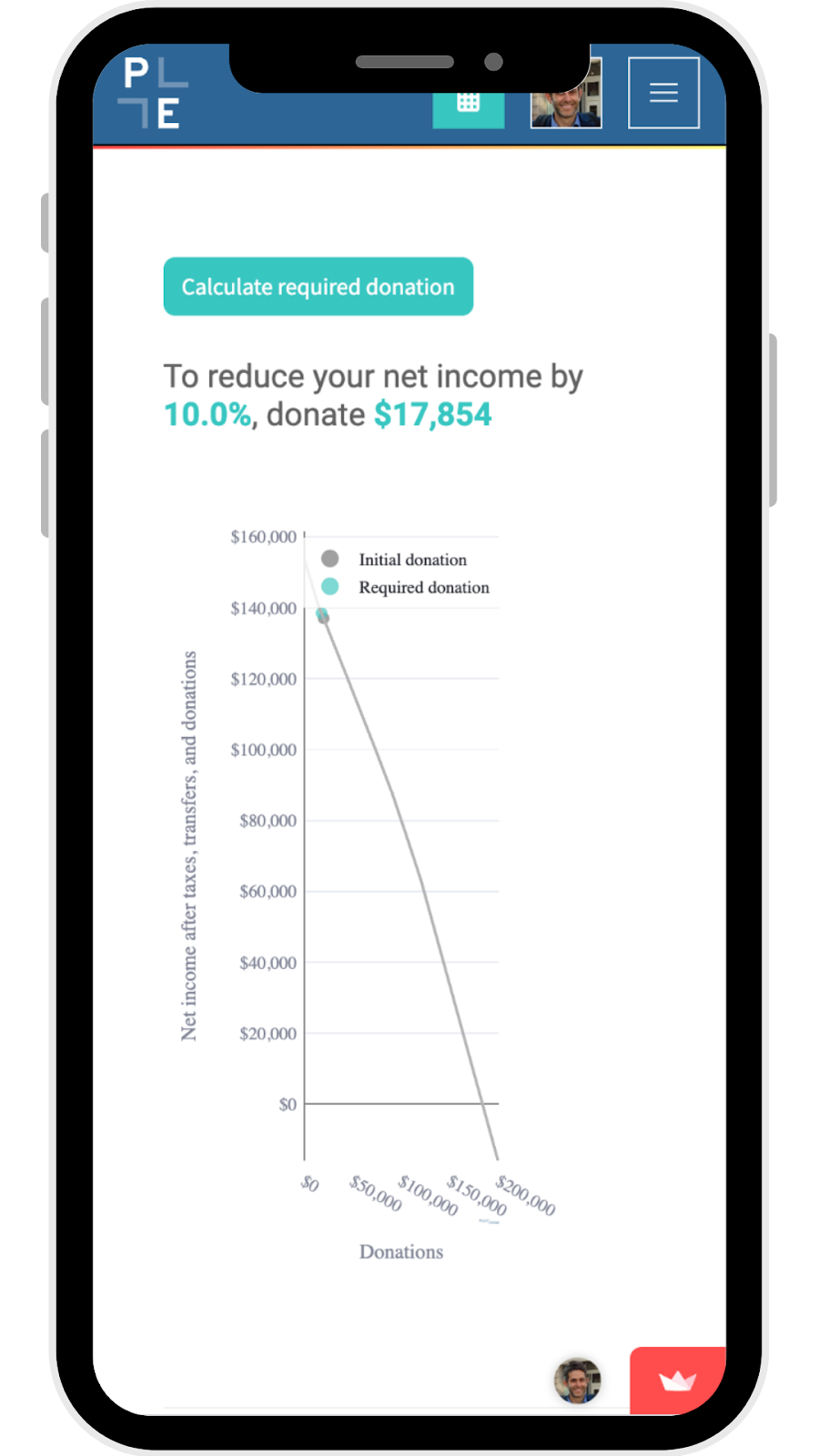
Beyond computing the tax impact of a specific donation, GiveCalc can work backward: enter your desired reduction in net income, and it calculates the donation required to achieve that target.
For example, if our family wants to reduce their net income by 10% (from $153,895 to $138,506), they need to donate $17,854.
Technical Implementation#
GiveCalc extends PolicyEngine’s US tax-benefit model with several key features:
-
Integrated federal and state modeling: Computes taxes at federal, state, and local (NYC) levels, showing how each affects the giving cost.
-
Interactive visualization: Using Plotly, GiveCalc creates dynamic charts showing how taxes change with donation amounts.
-
Streamlit interface: The web app runs on Streamlit’s Community Cloud platform, providing a responsive interface without requiring user accounts.
-
Optimization algorithm: To find target donation amounts, GiveCalc computes outcomes across many scenarios using PolicyEngine’s validated microsimulation model.
Next steps#
We’ve open sourced GiveCalc on GitHub and welcome contributions. Key areas for expansion include:
-
Adding more income sources (most of which we already model, and only need to expose in the interface)
-
Expanding to other countries (PolicyEngine operates in the US and UK)
-
Supporting additional tax scenarios
-
Enhancing visualization options
Try it yourself#
Visit policyengine.org/us/givecalc to calculate your own giving impacts. You can also:
-
Support PolicyEngine with a tax-deductible donation — and use GiveCalc to estimate its impact
Share your feedback and feature requests in the comments below or open an issue on GitHub.
-
The concept originated at a hackathon at EAGxBerkeley in December 2022. Rather than rush to release, we prioritized accuracy and comprehensiveness, developing and validating our model of income taxes at the federal level and across all 50 states, DC, and NYC. We are grateful to the collaborators from that session, who regrettably remain unnamed as we lost track of them. ↩

PolicyEngine's Co-founder and CEO

Economist at PolicyEngine